
Viewing Turatel SMS Failed Reasons in Reports
This guide outlines the new feature that enables users to view failed SMS sending reasons in a detailed report for campaigns sent through Turatel.
An enhancement has been made to the SMS Reports screen to display the reasons for unsuccessful SMS sending. Users can now see a new "Description” column in the report for SMS campaigns that have failed to send.
Accessing the Feature
To view the failed SMS reasons:
- Navigate to the SMS Campaign:
- Go to Campaign > Flows.
- Select one of your previously sent SMS campaigns.
- Click on the campaign to view its details.
- Open the Report:
- On the campaign details screen, click the "View Report" button.
- Locate the Bounced Records:
- On the report screen, click on the "Bounced" field.
- Under the "Bounced" field, you will find an option labeled "Failed".
- Click on "Failed" to view the detailed report.
- View the Failed Reasons:
- In the report, you will see "Error Reasons” under the new Description section.
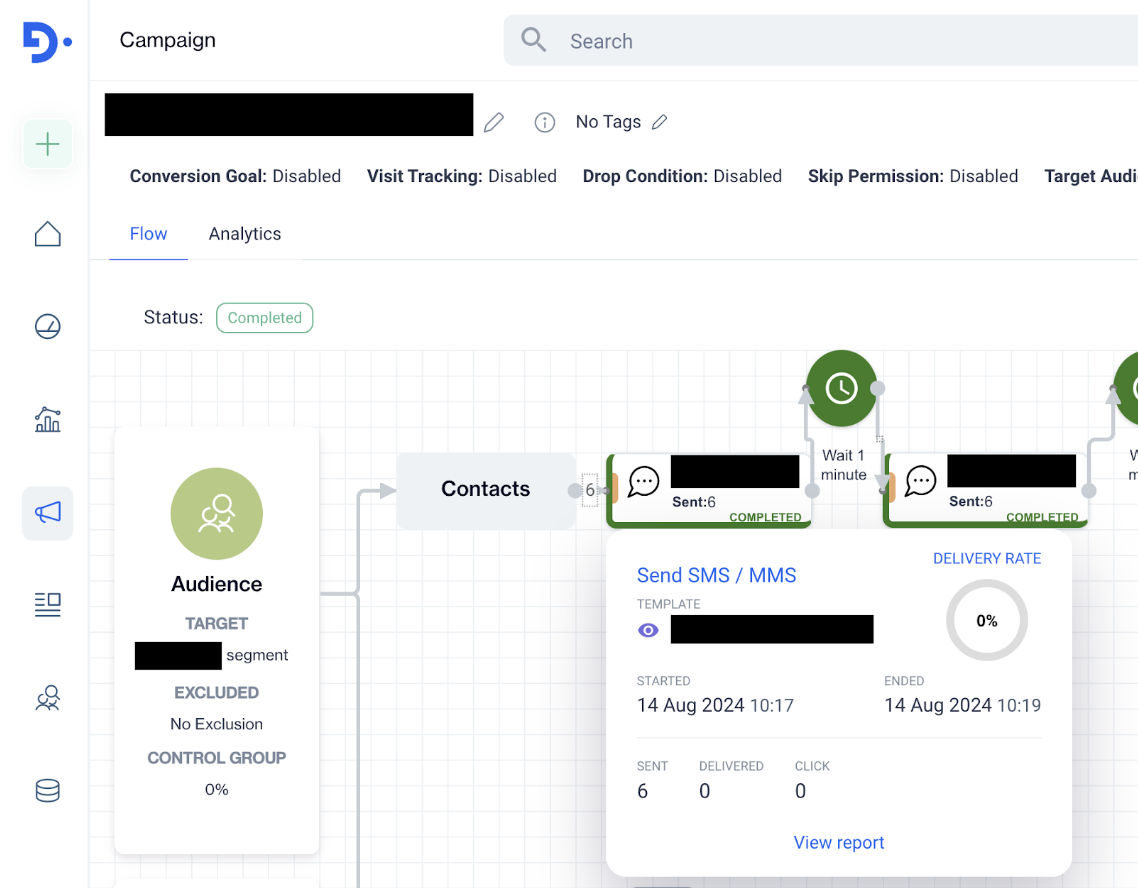
View Report
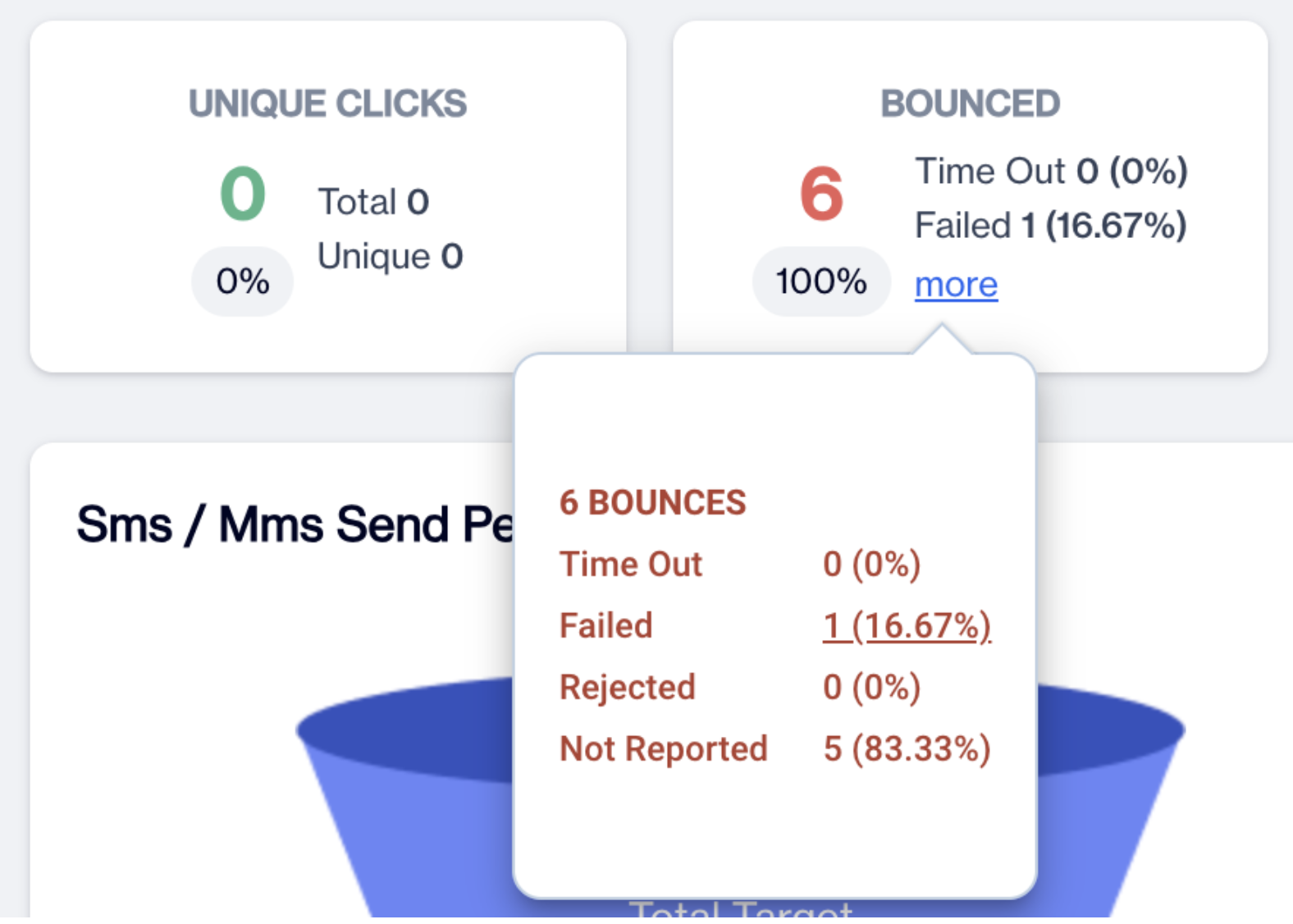
Failed Reasons
Additional notes:
- This enhancement applies only to failed SMS sending events and will not be used in other event types.
- The failed SMS sending reasons will only be visible for campaigns where SMS sending was unsuccessful.
Updated 3 months ago
Did this page help you?