
Optimize Channel
Optimize Channel
Optimize Channel helps you send messages through the best communication channel for each user. It looks at past engagement data, like whether a user usually clicks on emails, SMS, WhatsApp messages, or push notifications, and picks the channel they are most likely to respond to.
If there's no history available for a user, the system will use a default channel (the Fallback field) you choose to make sure everyone gets the message.
This feature works both with One-Time Campaigns and Recurring Campaigns and helps increase the chances of your messages being seen and acted on.
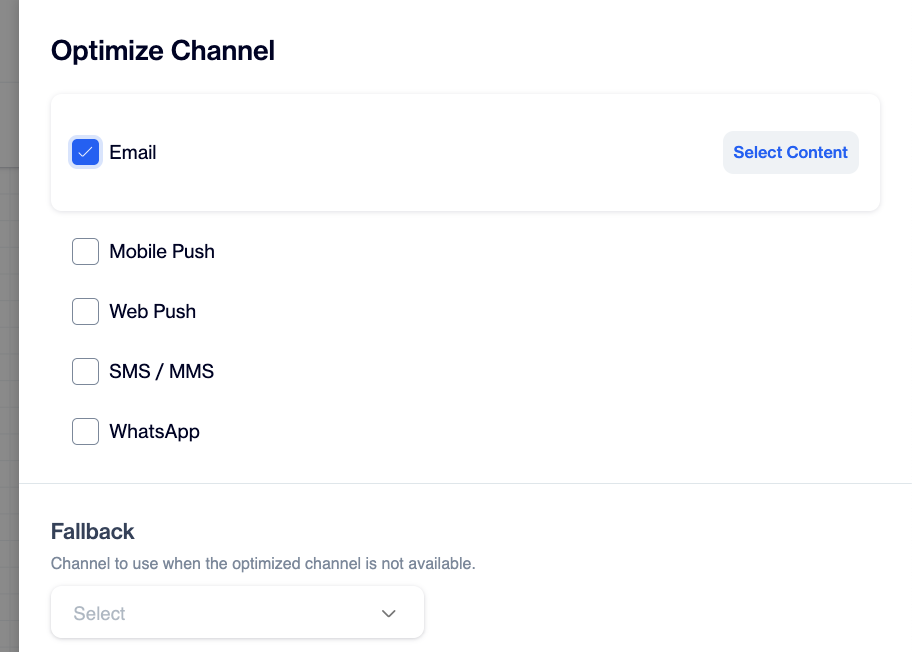
Optimize Channel
To set up Optimize Channel, start by selecting the channels you want the system to optimize for. You can choose one or more from the available options: Email, SMS/MMS, Mobile Push, Web Push, and WhatsApp. These are the channels through which your campaign message may be sent, depending on each user's engagement history.
Next, assign content to each selected channel. You’ll choose from your existing content using the dropdown menus provided. This ensures that every channel has the right message ready to go, tailored to suit the format of that channel.
For WhatsApp, click Select Content next to the channel. The WhatsApp panel opens, where you choose the Provider, Account and Sender, then pick a template from the list. Only templates with the status Active, the category Marketing and all requested languages approved are listed. The steps are the same as in the WhatsApp action node.
In the Fallback field, choose the channel to use when the optimized channel is not available for a user. The list contains the channels you selected above, so WhatsApp can also be set as the fallback channel.
Once your channels and content are set, you can configure settings to fine-tune your strategy if needed. When everything is ready, click the Save button to confirm your setup.
After saving, the system will automatically create paths for each selected channel. These paths determine which channel each user will receive the message through—based on their past interactions or your chosen default option.
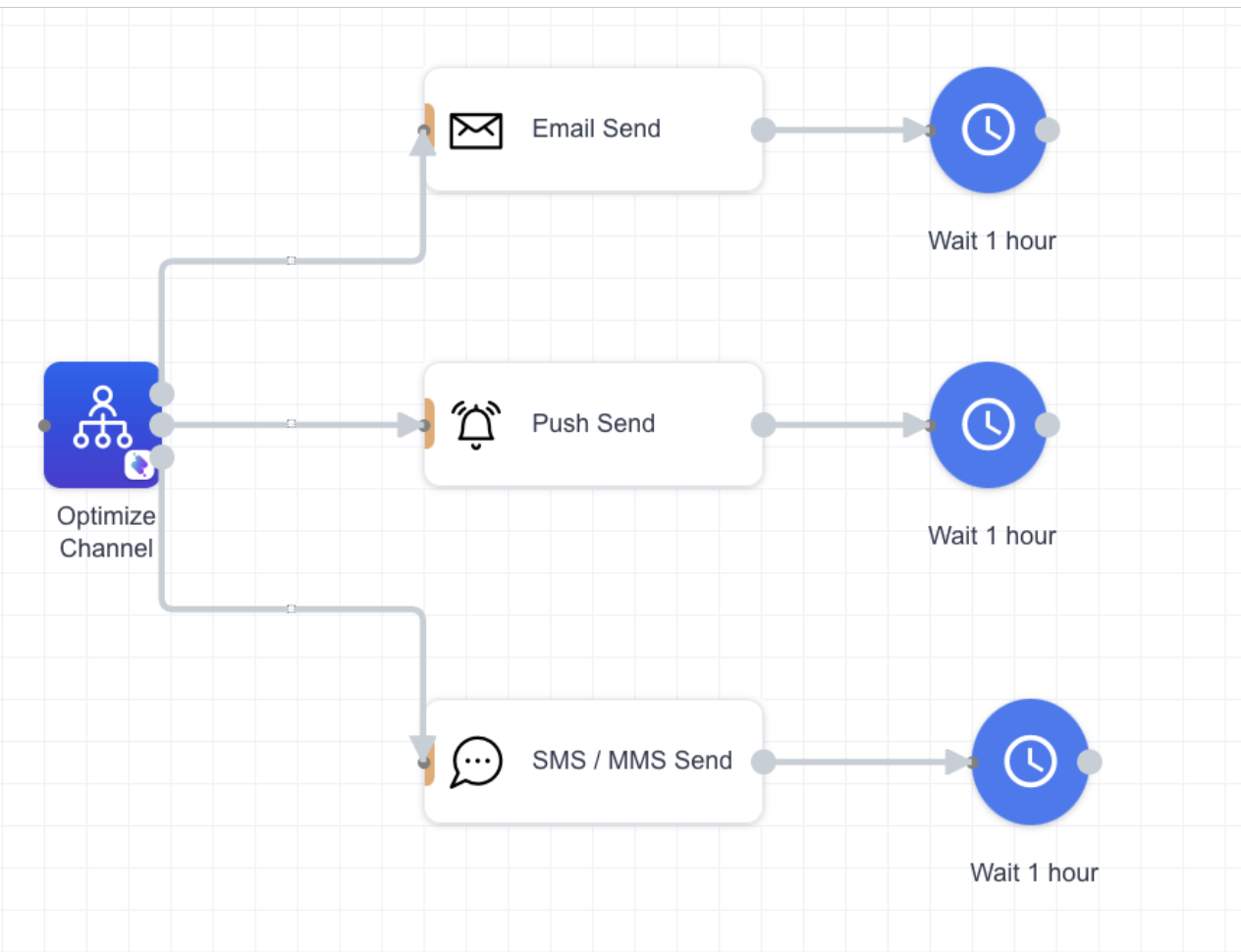
Paths created automatically for each selected channel.
Imagine you're launching a promotional campaign for a new product and want to make sure each user receives the message through the channel they prefer.
For example, you select Email, Mobile Push, and Web Push as your channels. From your past data, you notice that some users often click on emails, others engage more with push notifications. You assign tailored content for each:
- For Email, you select a beautifully designed product announcement.
- For Mobile Push, a short and catchy notification.
- For Web Push, a concise version of the same message.
When you launch the campaign, the system checks each user's past behavior:
- User A has consistently clicked on emails in past campaigns, so they receive the email version.
- User B has interacted mostly with Mobile Push notifications, so they get the mobile push.
- User C is new and has no history, so the system sends the message via the default channel you set, Email.
This way, each user gets the message through the method they are most likely to engage with, increasing your campaign's effectiveness without manual segmentation.
Tips:
- Content adjustments can be made easily by double-clicking on the content names, allowing you to enter edit mode and make the necessary changes.
- Should you need to revisit your channel optimization choices, you can re-enter the configuration by double-clicking on the Optimize Channel node.
Updated 16 days ago