
SMS Signature Approval
Starting from April 1, 2026, due to BTK (Bilgi Teknolojileri ve İletişim Kurumu) regulation, all SMS campaigns must go through an electronic signature verification step before publishing.
This feature ensures that SMS sends are legally compliant in Türkiye, aligned with the requirements set by Bilgi Teknolojileri ve İletişim Kurumu (BTK). It also guarantees that every message is securely approved by an authorized person before being sent, reducing the risk of unauthorized communication. In addition, all approvals are recorded, making SMS campaigns fully traceable for audit and compliance purposes.
The verification is provided via Etikimza, supporting all major operators (Turkcell, Vodafone, Türk Telekom). Both e-signature (e-imza) and mobile signature (mobil imza) methods are supported, giving flexibility based on your setup.
Prerequisites
Before you can publish SMS campaigns with electronic signature verification, both of the following flags must be enabled:
- Turkish regulation flag (is_turkish_law_applicable)
- SMS signature enabled flag (sms_signature_enabled)
If either of these flags is not enabled, the electronic signature verification step will not appear during SMS campaign publishing.
How to Access
To access SMS campaign signature verification within flows, go to:
Campaigns > Flows > SMS Campaign with SMS Node
From there, create your flow, then select the SMS node within the flow. When you proceed to publish the SMS campaign, the electronic signature verification step will be triggered if the prerequisites are met.
How to Use
After completing your SMS campaign setup within the flow, proceed to publish your campaign. If the prerequisites are met, the signature verification screen will appear.
You can complete the process using one of the following methods via Etikimza.
Electronic Signature (E-İmza)
To use e-signature, you must first complete both required steps: add the e-token signing extension to your browser and install the e-token software on your computer. Once both are in place, refresh the page and proceed with the signing process to approve the campaign.
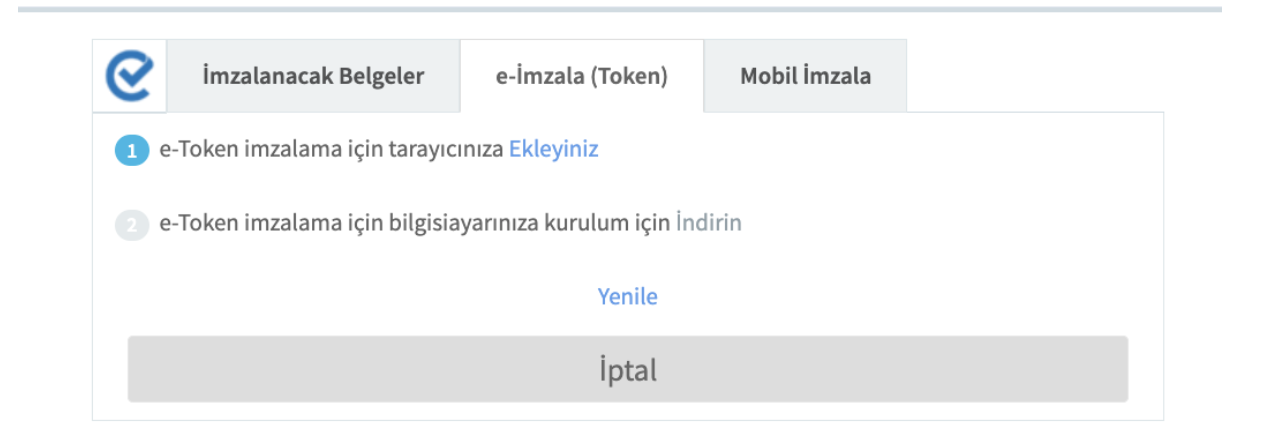
Electronic Signature
Mobile Signature (Mobil İmza)
Select your operator (Turkcell, Vodafone, or Türk Telekom) and enter your phone number. You must have an active mobile signature subscription from your operator. You will receive a prompt on your phone to approve the request, and once confirmed, your campaign will be successfully published.
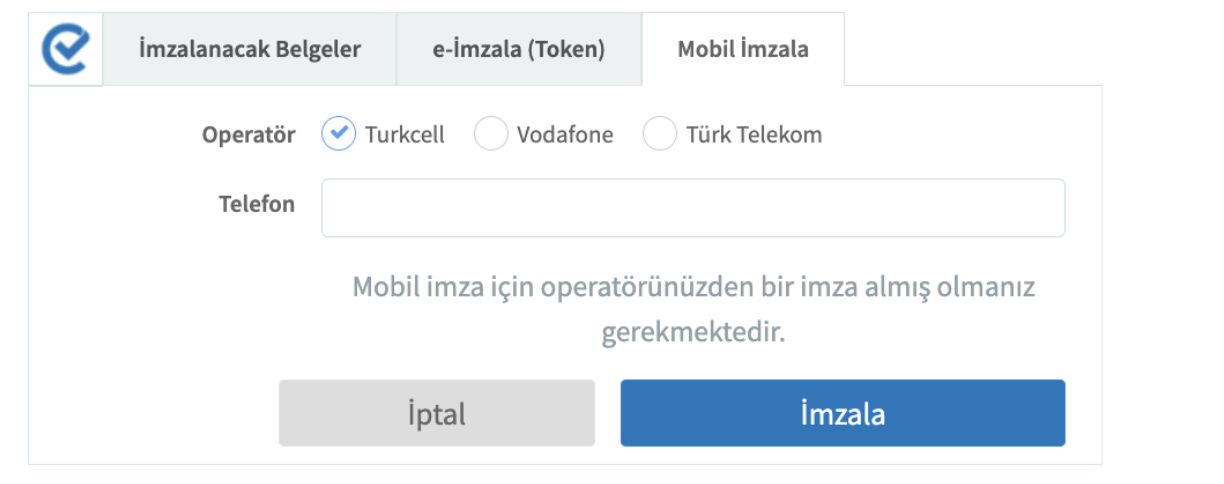
Mobile Signature
This verification step ensures that your SMS campaigns are approved securely and in full compliance with legal requirements before sending. By requiring authorization at the final step, it helps prevent unauthorized communication and protects your brand.
Updated 2 months ago