
Targeting In-App Analytics
Targeting in-app campaigns are standalone campaigns created under Campaign > Targeting Campaigns > In-App. Each campaign has a single report, the Targeting In-App Report, which shows how users behaved: visitors, displays, clicks, dismissals, devices, and button clicks.
Targeting In-App Report
How to Access
-
Go to Campaign > Targeting Campaigns > In-App.
-
Click the chart icon at the end of the campaign row.
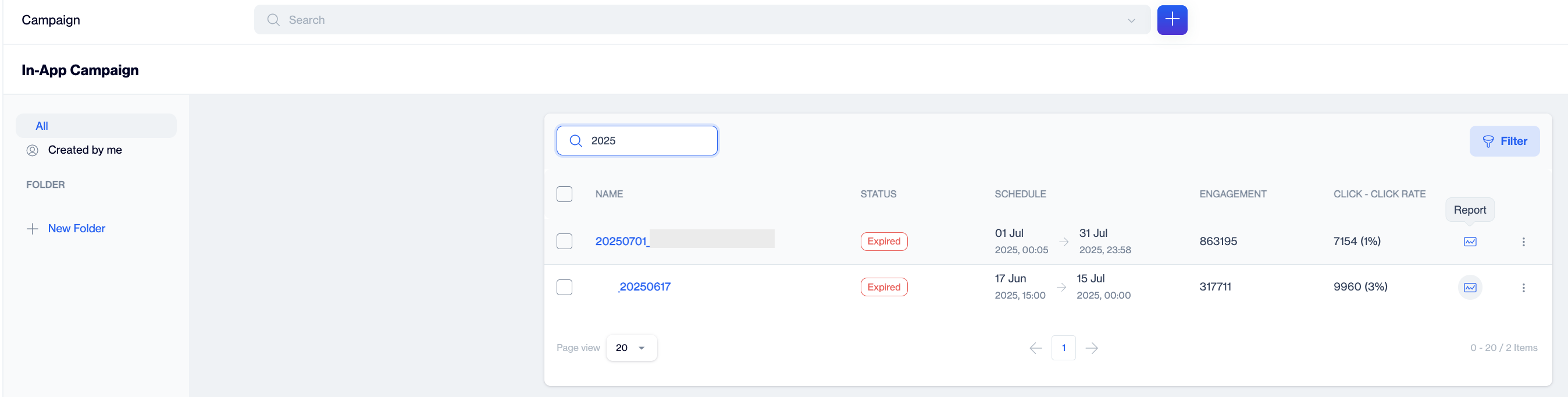
Click the chart icon at the end of the campaign row
-
The report opens in a new tab.
The report header displays the campaign name and its status badge (for example, Active or Paused). Click the info icon next to the name to expand Created By, Created On, and Updated On. The Public ID button provides shareable report access. The date range picker on the right filters every metric on the page; it defaults to the last 30 days and offers Today, Yesterday, Last 7 Days, Last 30 Days, This Month, and Last Month presets alongside custom dates.
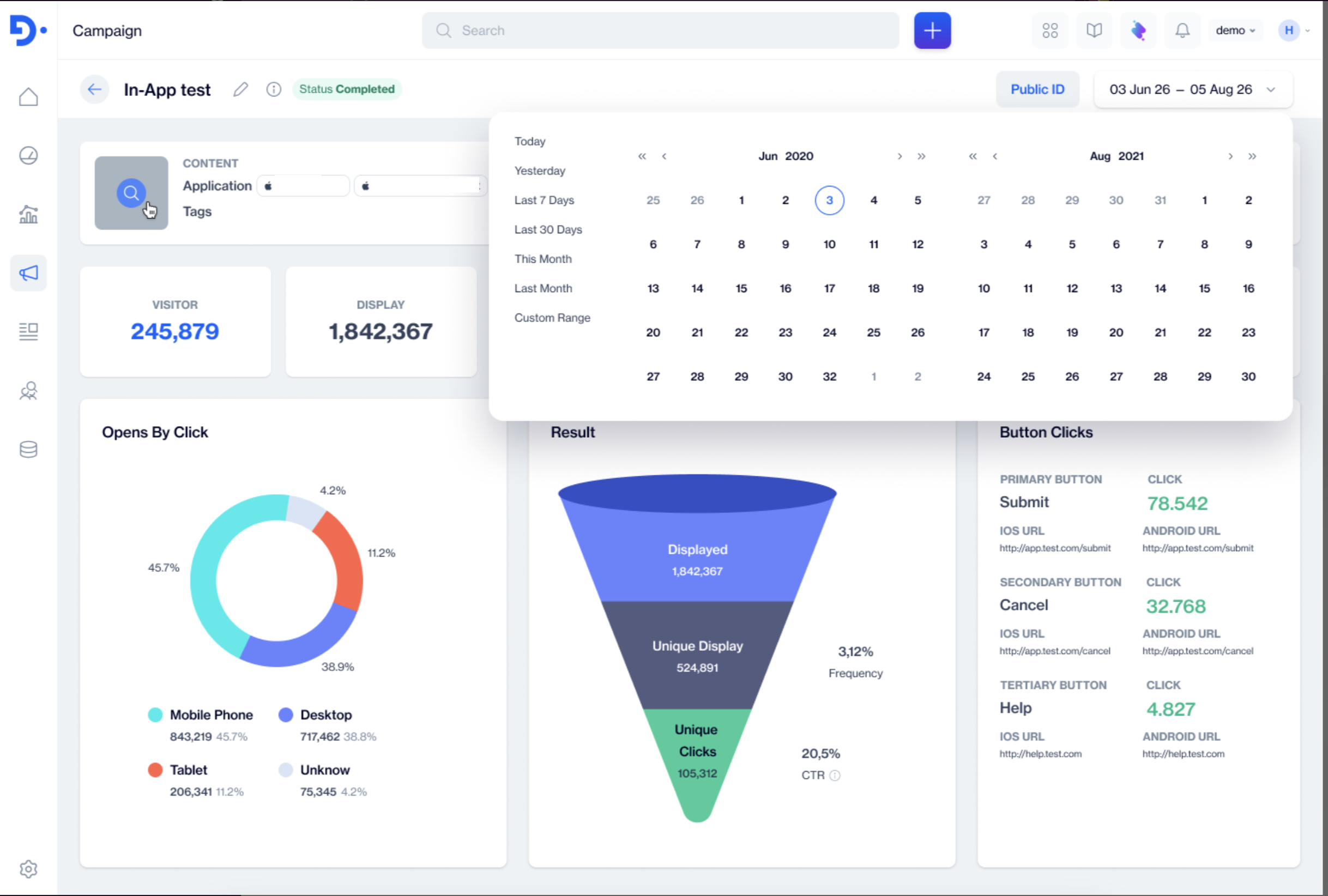
Targeting In-App Report
The report shows the overall performance of the campaign in the selected date range.
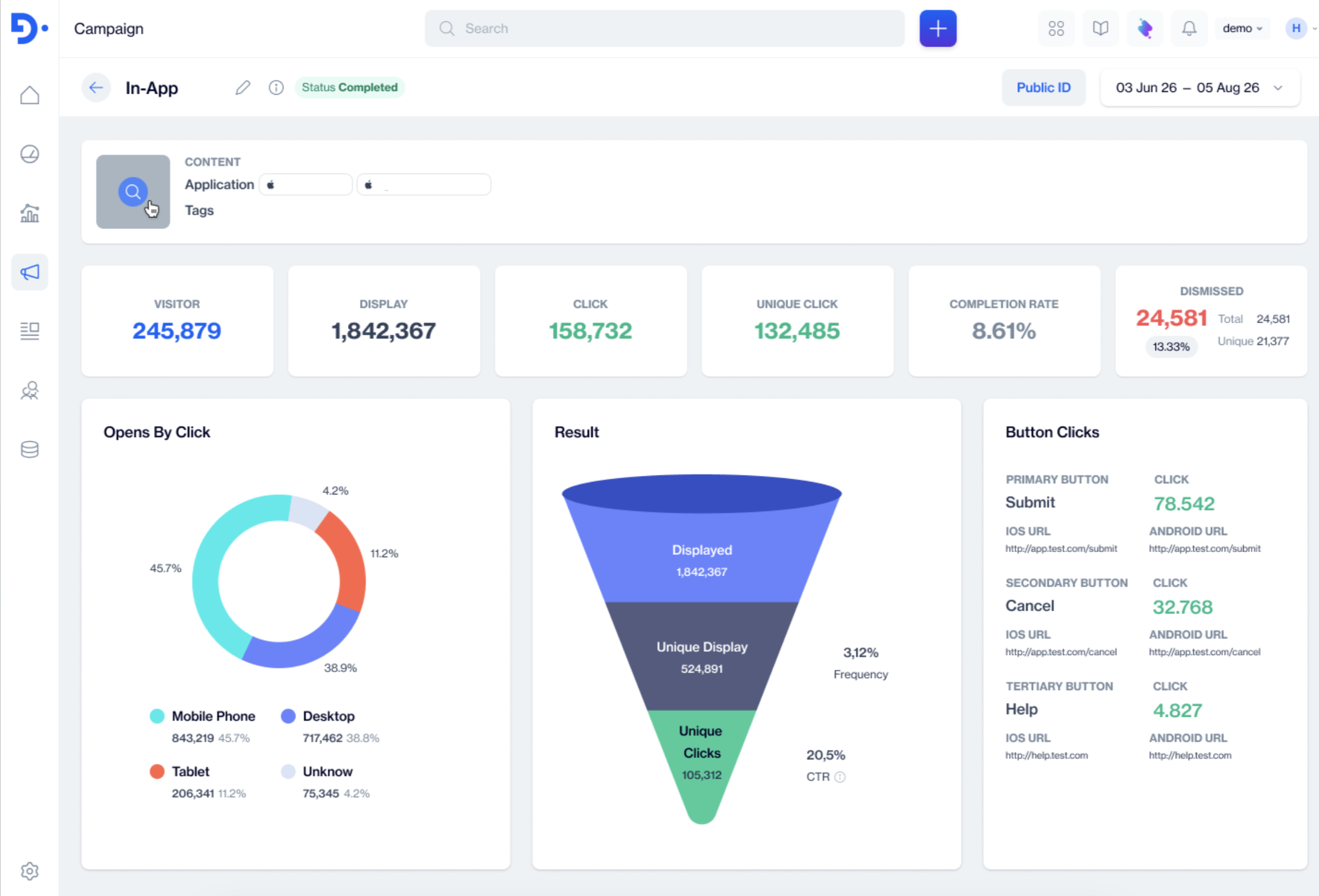
Targeting In-App Report screen showing Visitor, Display, Click, Unique Click, Completion Rate, and Dismissed, the Opens By Click chart, the Result funnel, and the Button Clicks card
- Content card: Click to see content opens the template preview. Beside it are the Application the campaign targets (the mobile or web apps with your Dengage SDK) and assigned Tags.
- Visitor: The number of users who viewed the message in the selected date range.
- Display: How many times the message was shown.
- Click, Unique Click, and Completion Rate: Total clicks, unique clickers, and the share of displays that led to a click
- Dismissed: Total and Unique dismiss counts with the dismissal percentage. A dismiss means the user closed the message without clicking. It is not a delivery failure.
- Opens By Click: A donut chart that splits opens across Mobile Phone, Desktop, Tablet, and Unknown devices, with the count and share for each.
- Result: A funnel from Displayed to Unique Display to Unique Clicks, with Frequency (how many times the message was shown per unique viewer) and CTR (the share of unique viewers who clicked).
- Button Clicks: One entry per button in the message with its position (Primary, Secondary, or Tertiary Button), its label, its click count, and the iOS URL and Android URL targets configured for it. The card shows No Data until a button is clicked.
Metrics Reference Table
| Metric | Definition |
|---|---|
| Visitor | Users who viewed the message in the selected date range. |
| Display | Times the message was shown. |
| Displayed | Total times the message was shown, the top step of the Result funnel |
| Unique Display | Unique users who saw the message, the middle step of the Result funnel. |
| Frequency | Displayed / Unique Display: how many times the message was shown per unique viewer, shown on the Result funnel. |
| Click / Unique Click | Total and unique clicks on the message. |
| CTR | Unique Clicks / Unique Display: the share of unique viewers who clicked, shown on the Result funnel." (Mock: 105,312 / 524,891 = 20.5%, which matches.) |
| Completion Rate | Clicks / Displays: the share of displays that led to a click, shown as a summary card. |
| Dismissed / Unique Dismiss | Total and unique times users closed the message without clicking, with the share of displays that were dismissed. Not a delivery failure. |
| Button Clicks | Click counts per button, with each button's position, label, and configured iOS URL and Android URL targets. |
Prerequisites
- Targeting in-app campaigns are delivered through the Dengage SDK integrated in your application(s); the Applications field on the Content card lists the apps the campaign targets.
- Every metric on the report respects the selected date range, which defaults to the last 30 days. Widen the range if a long running campaign looks empty.
- Metrics populate as display, click, submission, and dismiss signals arrive; the Button Clicks card shows No Data until a button is clicked.
Updated 3 months ago