
Flow Segment Snapshot
Flow Segment Snapshot allows you to calculate and capture a point-in-time snapshot of your campaign’s target audience directly from the Target Audience node in a Flow Campaign.
This feature helps you understand the exact reachability of your selected segments at the time of calculation, without blocking campaign setup. The calculation runs in the background and provides both in-platform visibility and an email notification when completed.
How to Access
You can access Flow Segment Snapshot from the Target Audience node while creating or editing a Flow Campaign.
Campaigns > Flows > Create New Campaign Flow > Target Audience node
Double-click the Target Audience node to open the Segment Selection modal.
How to Use
- In the Target Audience node, select one or more segments from the segment list.
- Click the Calculate button in the Segment Selection modal.
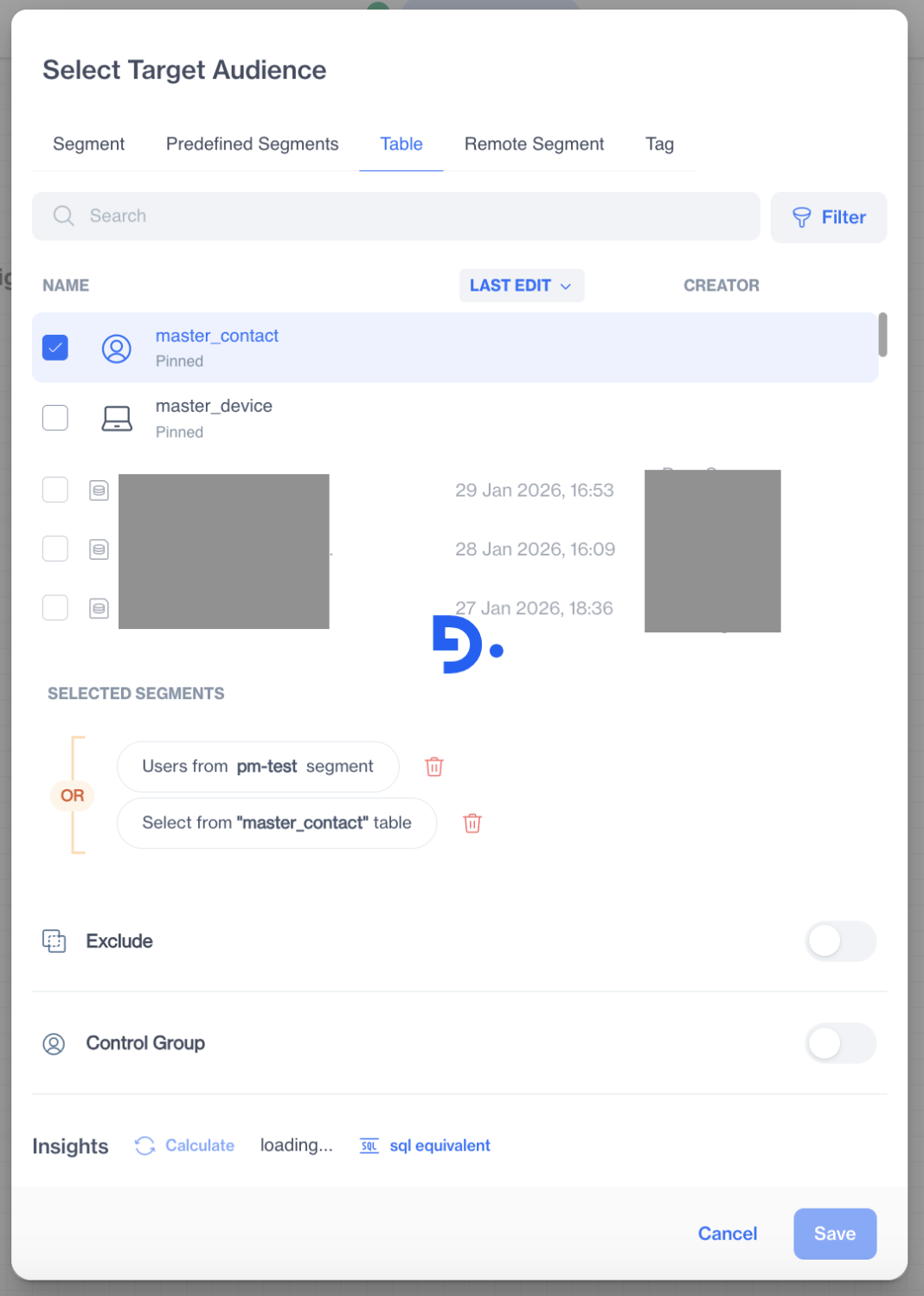
Segment Selection
- A confirmation message is displayed, informing you that the segment will be calculated in the background.
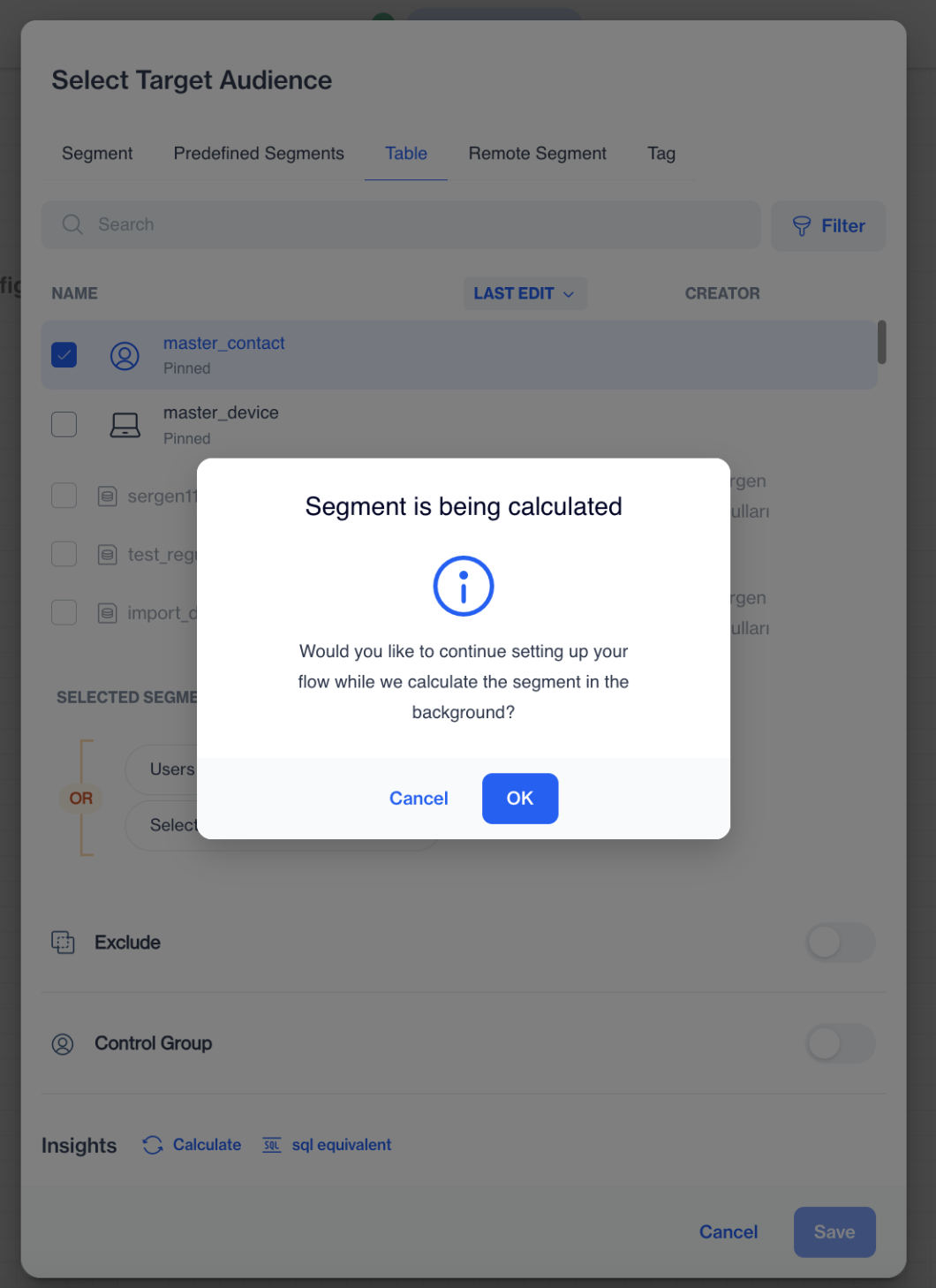
Segment Calculation
-
Choose one of the following options:
- OK – continue setting up your flow while the calculation runs in the background
- Cancel – stop the calculation
-
If you click OK, return to the flow canvas.
-
The Target Audience node shows a Calculating status while the segment is being processed.
-
Once the calculation is completed:
- A Segment Snapshot icon appears next to the segment on the Target Audience node.
- The snapshot results become available for review.
Viewing Segment Snapshot Results
You can view the segment snapshot results in two ways:
From the Flow canvas
Click the Segment Snapshot icon next to the segment on the Target Audience node.
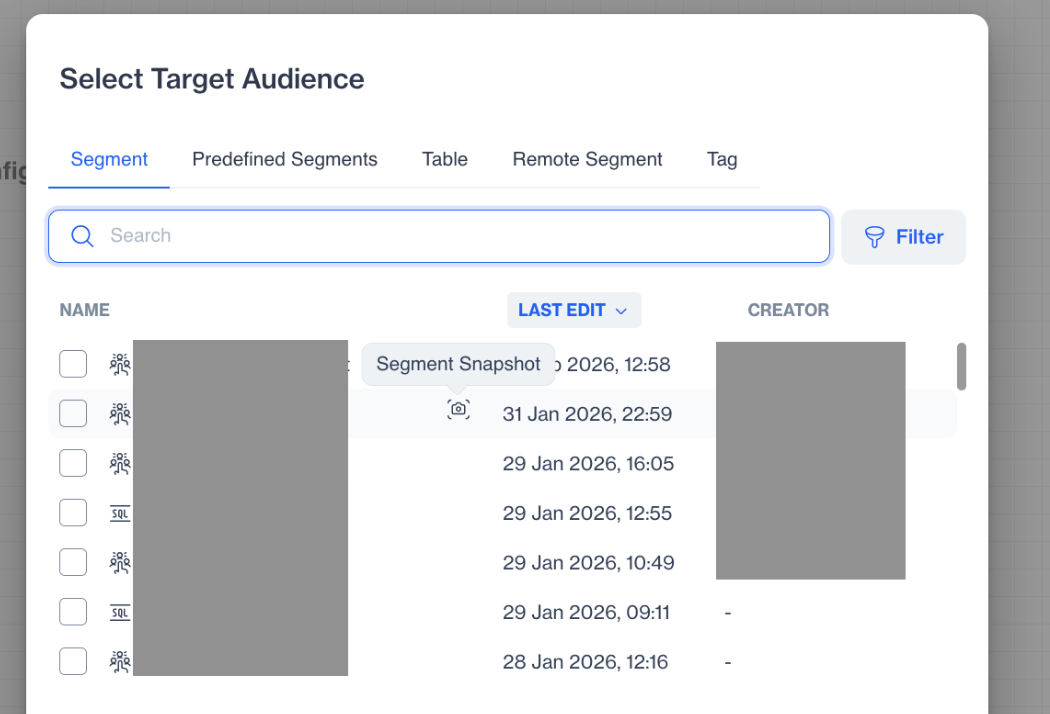
Target Audience
This opens the Insights screen displaying the snapshot data.
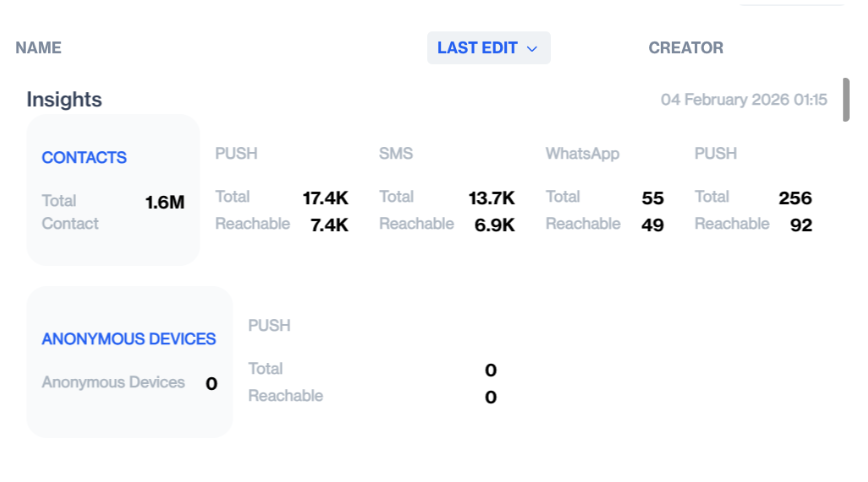
Insights
From the email notification
Click the Segment Details button in the email to open the Segment Snapshot insights page.
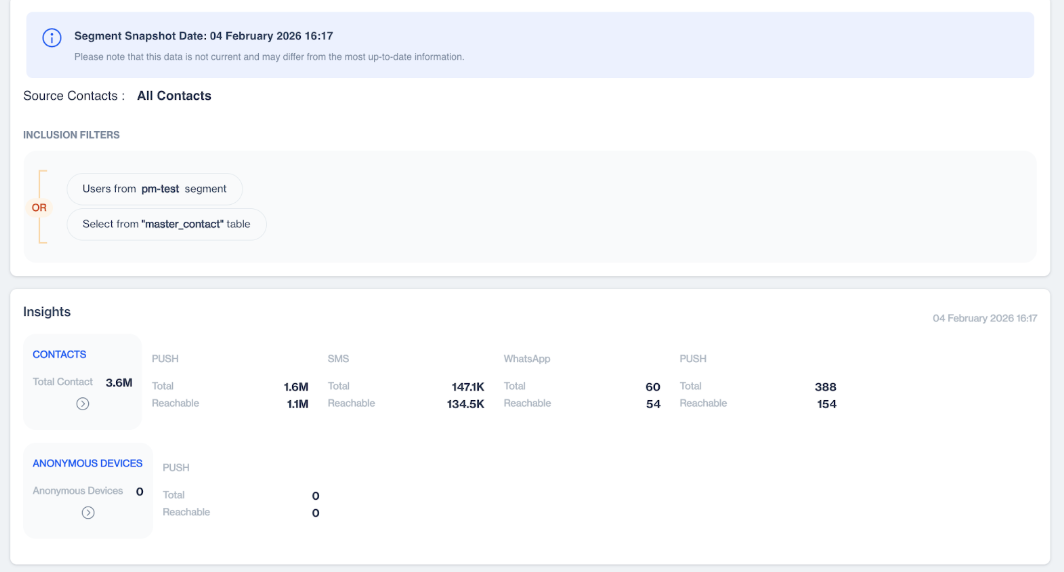
Segment Snapshot
Flow Segment Snapshot shows a point-in-time view of your campaign audience without interrupting campaign creation, helping you make informed decisions before launch.
Updated 3 months ago