
Optimize Time
Optimize Time
This node helps you send messages at the time each user is most likely to engage. It looks at past behavior to find the best time to deliver emails, mobile and web push notifications, SMS and MMS, and WhatsApp messages.
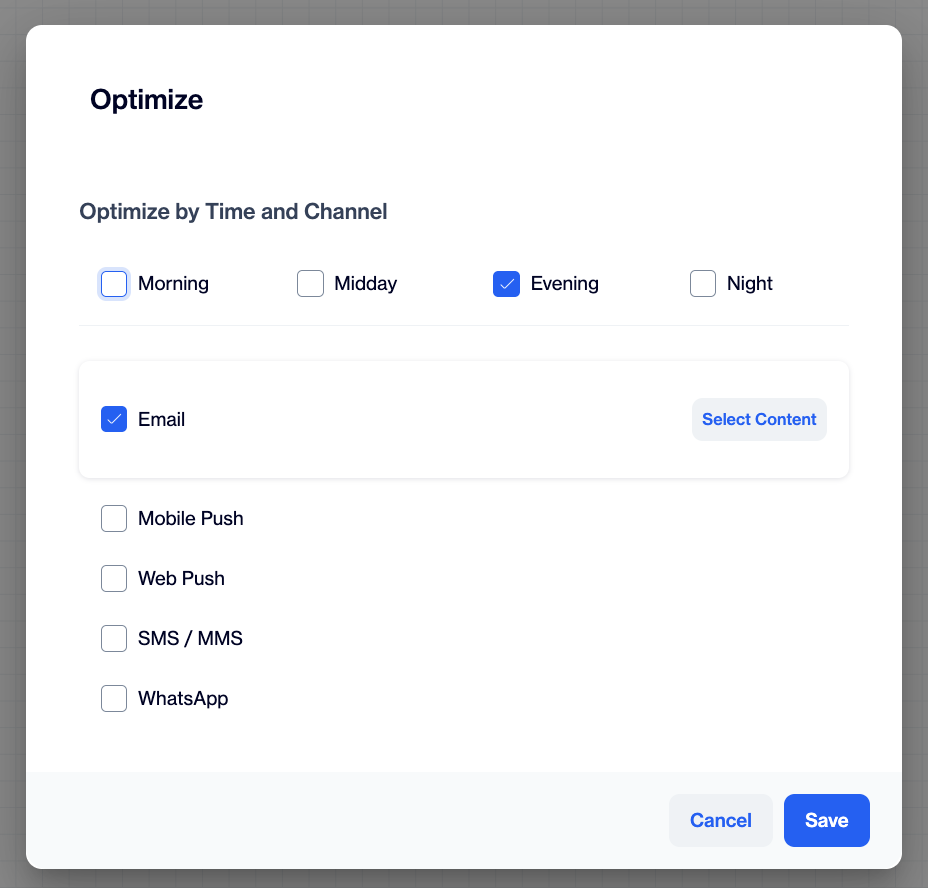
Optimize by Time and Channel
To set up Optimize Time, start by selecting at least two time slots from the available options: Morning, Midday, Evening, and Night. These slots represent different parts of the day when your users are most likely to engage. You can adjust the exact hours for each time slot in the Optimize Time and Channel settings.
Important ConsiderationThe time frames for this feature can be fine-tuned in the Settings > Sending Rules >Time Categories by Channel. Here you can establish specific intervals that define each time slot throughout the day.
Then, choose the channels you want to use in your campaign: Email, Mobile Push, Web Push, SMS/MMS, or WhatsApp. For each channel, select the message content from the dropdown menu using your pre-created content.
For WhatsApp, click Select Content next to the channel. The WhatsApp panel opens, where you choose the Provider, Account and Sender, then pick a template from the list. Only templates with the status Active, the category Marketing and all requested languages approved are listed. The steps are the same as in the WhatsApp action node.
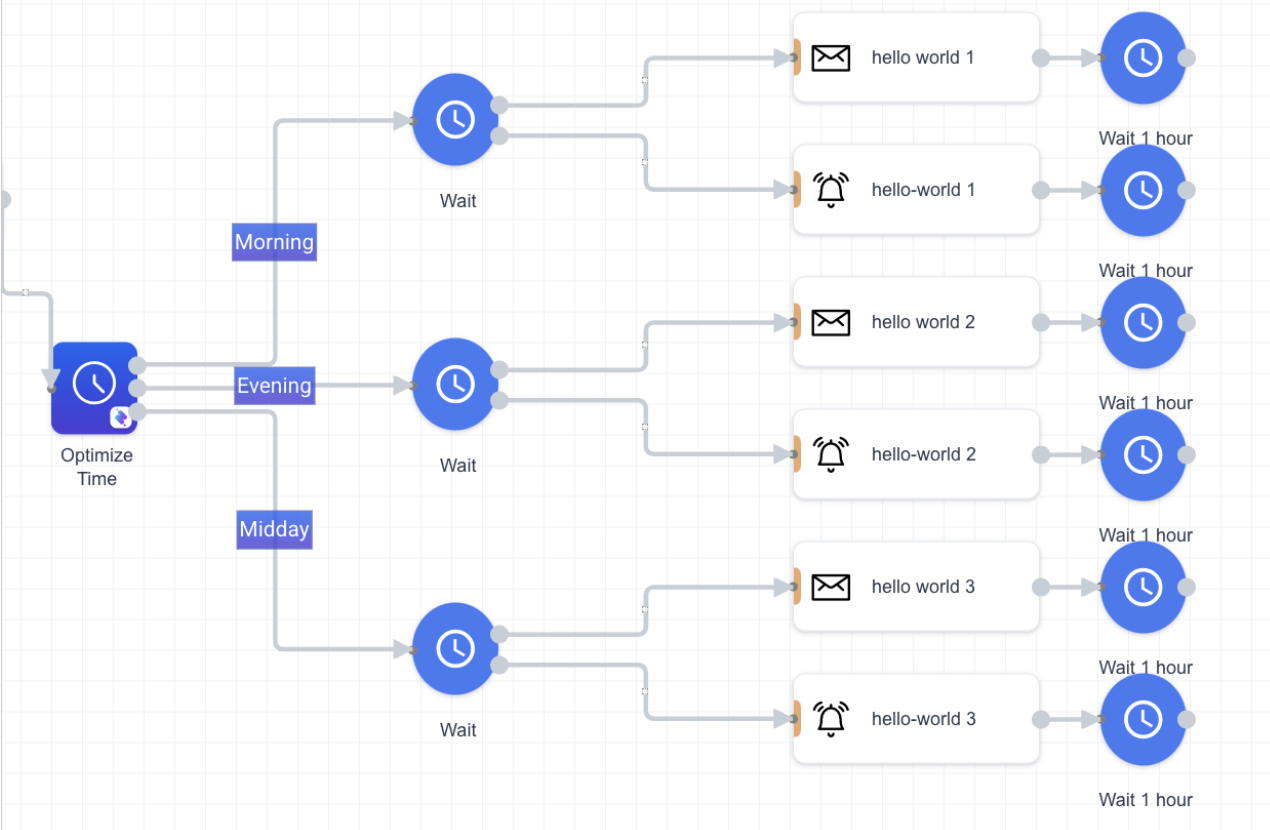
After choosing the content, you can configure settings to fine-tune how each message is delivered. Once everything is set, click the Save button. The system will then automatically create separate journey paths for each Time Slot × Channel combination, ensuring your messages are sent at the most effective times.
Tips:
- Each piece of content will be automatically duplicated and labeled with incremental numbers (1, 2, 3, etc.) at the end of the content name to indicate different time slots.
- You can edit the contents by double-clicking on them if modifications are necessary.
- Wait nodes within this context are not editable since Optimize Time automatically configures the wait durations.
- Should you need to revisit your time optimization choices, you can re-enter the configuration by double-clicking on the Optimize Time node.
Practical Use Case Example
Let’s say you schedule a one-time campaign to start at 14:00, and you’ve selected Midday and Morning as your preferred time slots. At the campaign’s start time (14:00), the system will first send the message to users who are most active around midday. Then, instead of sending to everyone at once, it will automatically wait until the next morning to deliver the same message to users who are more likely to engage during morning hours. This way, each user receives the message at a time when they’re most likely to notice and interact with it, helping boost your overall engagement.
Updated 16 days ago