
Zeki Assistant – Data Insights
Zeki Assistant helps you find answers across your account without manually searching through campaigns, reports, dashboards, and segments.
Instead of opening multiple pages to locate information, simply ask a question in natural language. Zeki Assistant retrieves the relevant data, explains what it found, and presents a clear summary directly in the conversation.
Whether you want to check campaign performance, review segment details, monitor automations, or understand overall account activity, Zeki Assistant acts as your personal data assistant.
Why Use Zeki Assistant?
Marketing teams often spend time navigating between campaigns, reports, and analytics screens to answer simple questions.
With Zeki Assistant, you can simply ask:
"Show me the performance of my last three campaigns."
Within seconds, you receive a summarized overview containing the most important information.
This helps you:
- Find answers faster
- Reduce manual searching
- Monitor campaign performance more efficiently
- Access insights without navigating multiple screens
- Quickly investigate trends and results
It supports key use cases such as reviewing segments, checking campaign performance metrics, and getting summaries from reports like campaign analytics, channel performance, and RFM analysis. For deeper insights, you can continue your analysis in the full report via the provided link.
What Can Zeki Assistant Do?
Zeki Assistant can provide information about:
- Campaigns performance
- Campaign analytics and conversion reports
- Segments and audience details
- Automation workflows
- Channel performance statistics
- Dashboard metrics
- Contacts, devices, and data tables
- RFM analysis and customer insights
How to Use
- Open Zeki Assistant.
- Type your question in natural language as a prompt.
- Review the summarized results.
- Ask follow-up questions to explore specific campaigns, reports, or segments in more detail.
How Zeki Assistant Responds
Zeki Assistant doesn't simply return raw data. It analyzes the information and presents it as a clear summary that is easy to understand.
For example, if you ask for your recent campaigns, Zeki Assistant can provide:
- Campaign names
- Campaign channels
- Current statuses
- Key performance metrics
- Links to related reports when available
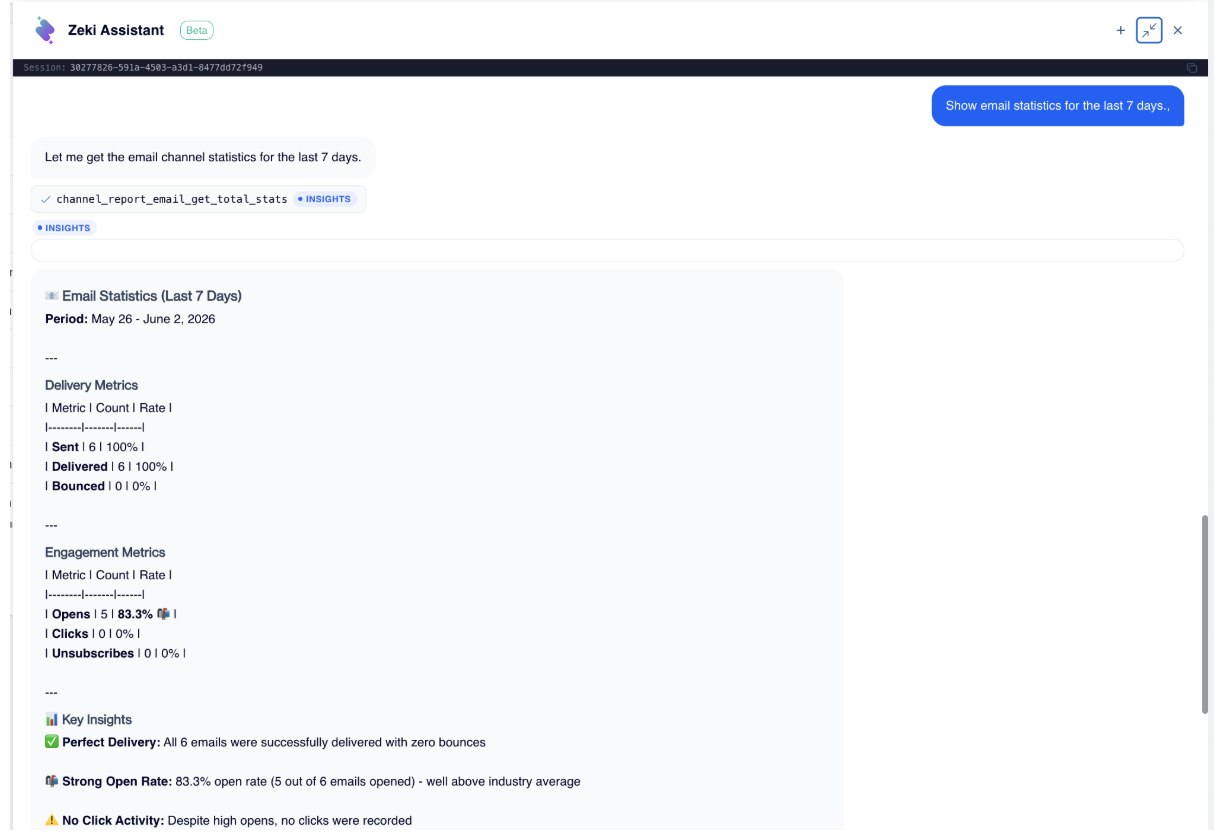
Initial Question
You can then continue the conversation with follow-up questions such as:
"Show email channel report list."
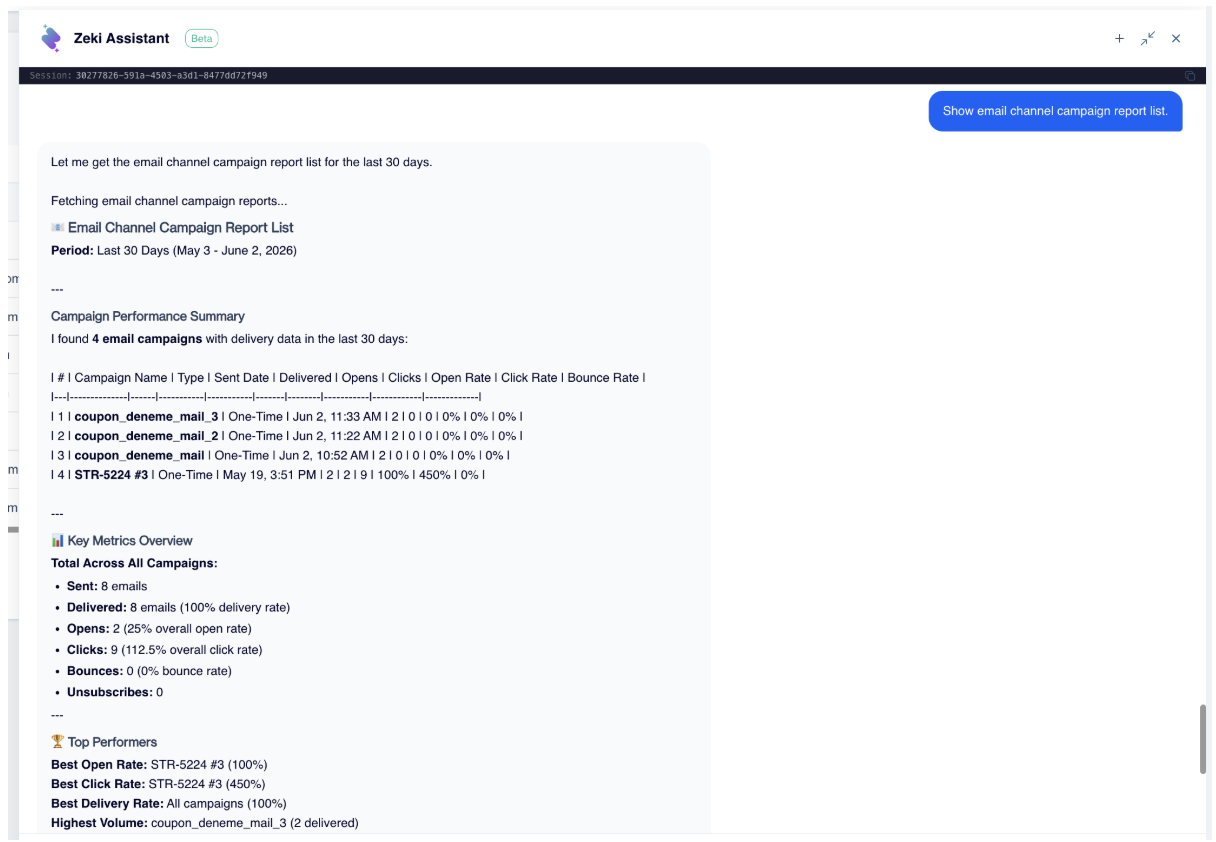
Follow-Up Question
This allows you to explore your data conversationally without repeatedly navigating through the platform.
Best Practices
Zeki Assistant works best when your questions are specific.
For example:
- Show currently running campaigns.
- Compare the performance of my last two campaigns.
- Show details for the first campaign.
- Show campaign analytics report for this campaign.
- Show conversion report for this campaign.
- Show campaign dashboard summary counts.
- Show email channel total statistics for the last 7 days.
- List segments.
The more context you provide, the more targeted the response will be.
Updated 3 months ago