
Dengage Panel Localization
Localization automatically translates the platform interface into all supported languages.
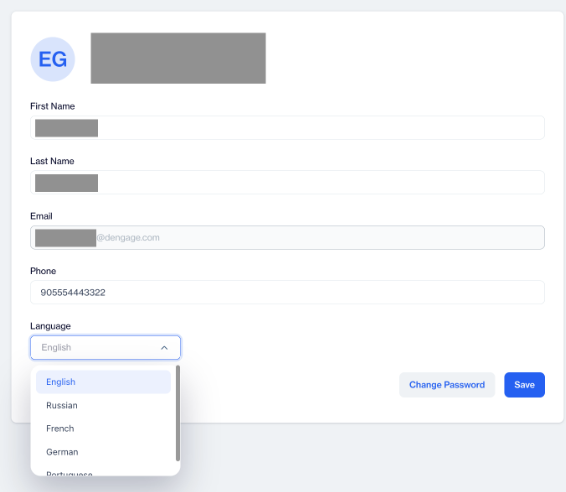
To use the platform in a different language, users only need to select their preferred language from their profile settings. The panel will then switch to that language automatically.
This makes the platform easier to use for global teams and removes the need for manual translation management.
How to Access
Go to Settings > My Profile.
Under the Language field, choose your preferred language from the dropdown menu.
Save your changes.
How to Use
After selecting your preferred language in My Profile, the system automatically loads the translated interface.
Language
All menus, buttons, labels, and system texts are displayed in the selected language.
If you change the language again, the panel immediately switches to the newly selected language.
No additional setup is required.
Use Case
A team member working in Germany selects German as their language, while another team member selects English. Each user sees the platform in their chosen language without affecting other users.
Localization allows you to use the platform in your preferred language with a single selection, using pre-generated translations already integrated into the system.
Updated 3 months ago