
Multi-Segment Selection in Campaign Target Audience
Multi-Segment Selection in Campaign Target Audience allows you to select and combine multiple existing segments directly while creating a campaign, without creating a new segment.
This helps you build flexible target audiences faster, avoid unnecessary segment duplication, and keep your segment list clean and easy to manage.Segment combinations are applied only within the campaign and do not create permanent segment entities.
How to Access
You can access Multi-Segment Selection from the Target Audience node while creating or editing a Flow Campaign.
Campaigns > Flows > Create New Campaign Flow > Target Audience node
Open the campaign flow and double-click the Target Audience node to open the Segment Selection modal.
How to Use
- While creating or editing a Flow Campaign, double-click the Audience node in the flow canvas.
- The Segment Selection modal opens.
- Select multiple existing segments from the segment list.
- Choose how the selected segments should be combined:
- AND – users must belong to all selected segments
- OR – users must belong to at least one selected segment
- Review the combined audience under Selected Segments.
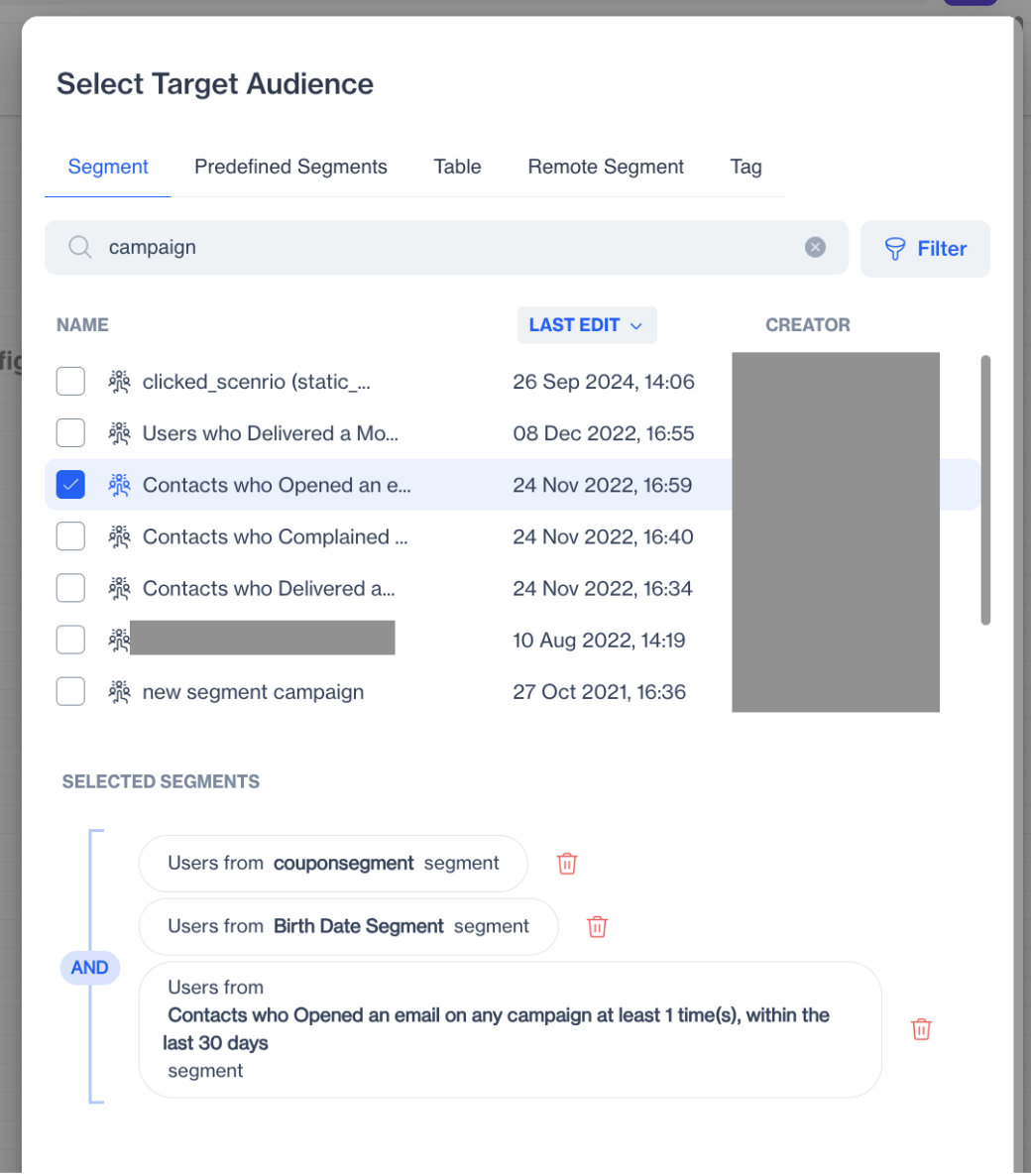
Multi Segment Selection
- Click Save to apply the audience to the campaign.
The selected segments are combined only for the current campaign and are not saved as a new segment.
Multi-Segment Selection in Campaign Target Audience simplifies audience targeting by allowing campaign-specific segment combinations without increasing segment complexity. This helps teams create campaigns faster while maintaining a clean and manageable segment structure.
Updated 27 days ago